
POS & Commerce
POS inventory reconciliation: connect receipt, stock, and Finance
Reconciliation is possible when one completed sale can be traced to one authoritative receipt, the expected stock consequence, and the configured financial record.
Reader intent: Commercially relevant POS operations guide
01
Define what completion means
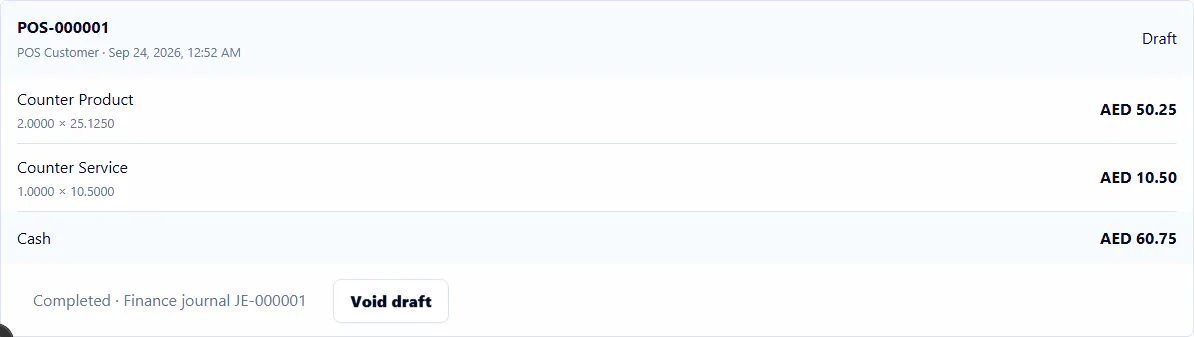
A POS screen can calculate a cart before the sale is complete. Reconciliation should begin only from the authoritative completion result. That result needs a stable receipt identity, lines, quantities, prices, totals, register session, time, and responsible actor. A client-side success message is not enough if the server did not commit the corresponding records.
Completion should be atomic for the records the product promises to create together. If receipt creation succeeds while required stock or posting work fails, the system needs a defined failure or recovery contract. Otherwise teams may see a completed sale in one module and no consequence in another.
02
Protect against replay and concurrent completion
Network retries, impatient clicks, and concurrent requests can submit the same sale more than once. An idempotency key or equivalent authoritative identity should return the established result rather than creating a second receipt, stock issue, or journal. The check must be enforced where the write happens, not only by disabling a browser button.
Concurrency also matters when two sales compete for limited available stock. The workflow should serialize or otherwise protect the authoritative quantity decision so both requests cannot independently consume the same units. A rejected completion must leave no partial movement or posting behind.
- One logical sale produces one authoritative receipt.
- Replayed completion returns the established result.
- Competing stock requests cannot oversell the protected quantity.
- Failed completion leaves no unexplained partial record.
03
Reconcile receipt to inventory
For each stocked line, compare the completed receipt quantity with the attributed inventory movement. Confirm the source receipt, item identity, unit, warehouse, location, direction, and quantity. Service lines or non-stock items should follow the configured rule rather than generating fictional movement.
Do not reconcile only the aggregate daily quantity. Aggregate totals can match even when one receipt is duplicated and another is missing. Sample or systematically reconcile at the source-record level, then confirm that the movement ledger aggregates to the expected warehouse balance.
| Evidence | Reconciliation question | Exception example |
|---|---|---|
| Receipt line | What product and quantity completed? | Draft line asserted as final |
| Stock movement | What quantity moved from which location? | Missing or duplicate issue |
| Journal | What configured financial consequence posted? | Unbalanced or duplicate posting |
| Audit | Who completed or retried the action? | No authoritative actor or outcome |
04
Reconcile receipt to Finance and reporting
Where POS completion is configured to create a financial entry, verify that the journal is balanced and references the sale source. The exact accounts depend on the approved configuration. A marketing page should not imply tax, cost-of-goods, cash-management, or payment-processing behavior that the product has not implemented and validated.
Analytics should read completed authoritative records, not transient cart state. Date, branch, and tenant filters need consistent definitions. If a dashboard value differs from source receipts, reviewers should be able to identify the inclusion rule and trace representative values back to records.
05
Zivanox POS scope
Zivanox supports register sessions, deterministic sale totals, an authoritative receipt, linked inventory movement, configured Finance posting, audit history, replay protection, and concurrency controls inside the accepted product boundary.
Governed receipt-linked returns and internal refund records are implemented with approval, execution, stock-disposition, cash, Finance, audit, and replay controls. External processor settlement remains a separately attested action rather than a gateway request. Offline operation, payment processing, terminal certification, barcode hardware, printers, cash drawers, and external ecommerce synchronization are not claimed. A Closed Beta review should confirm tender records, return policy, warehouse rules, accounts, and exception procedures.
A useful acceptance scenario begins with known available quantity and a configured register context. Complete one synthetic sale, replay the same logical request, and run competing requests against constrained stock. Then exercise a bounded receipt-linked return and verify the original receipt remains unchanged, the return document is attributable, and stock, refund, cash, Finance, audit, and reports reconcile. A denied user and a cross-tenant identifier should fail closed without partial records. This proves the supported software contract while leaving hardware, external processor settlement, offline operation, and external commerce synchronization outside the result.
Editorial scope
This guide contains 709 words and reflects the implemented Zivanox product boundary reviewed on 2026-09-24. It does not replace professional, legal, tax, payroll, or jurisdiction-specific advice.
Evaluate the workflow
Bring your records, exceptions, and required controls.
Closed Beta access begins with a bounded workflow review, not an open signup or automated purchase.
Request Closed Beta Access